Desktop controls
| Action | Input |
|---|---|
| Move left / right | A / D, or ← / → |
| Aim and fire guns | Click a boss target. Hold and move the pointer to keep firing and adjust your aim. |
| Launch a special | Select its weapon card, then click a target in the arena. |
| Cancel a selected special | Select the same weapon card again. |
Your ship moves sideways. Choose a firing position that lets you stay on target and evade the next attack.
Touch controls
Tap the boss to choose your aim point. On a touch screen your guns fire on their own and aim at the boss until you tap where to hit. Drag on the boss to adjust your aim.
Hold the ◀ and ▶ arrows at the bottom of the arena to move left or right. Lift your thumb to stop. Use one thumb to steer and the other to aim.
For a special weapon, select its card, then tap the boss target to launch.
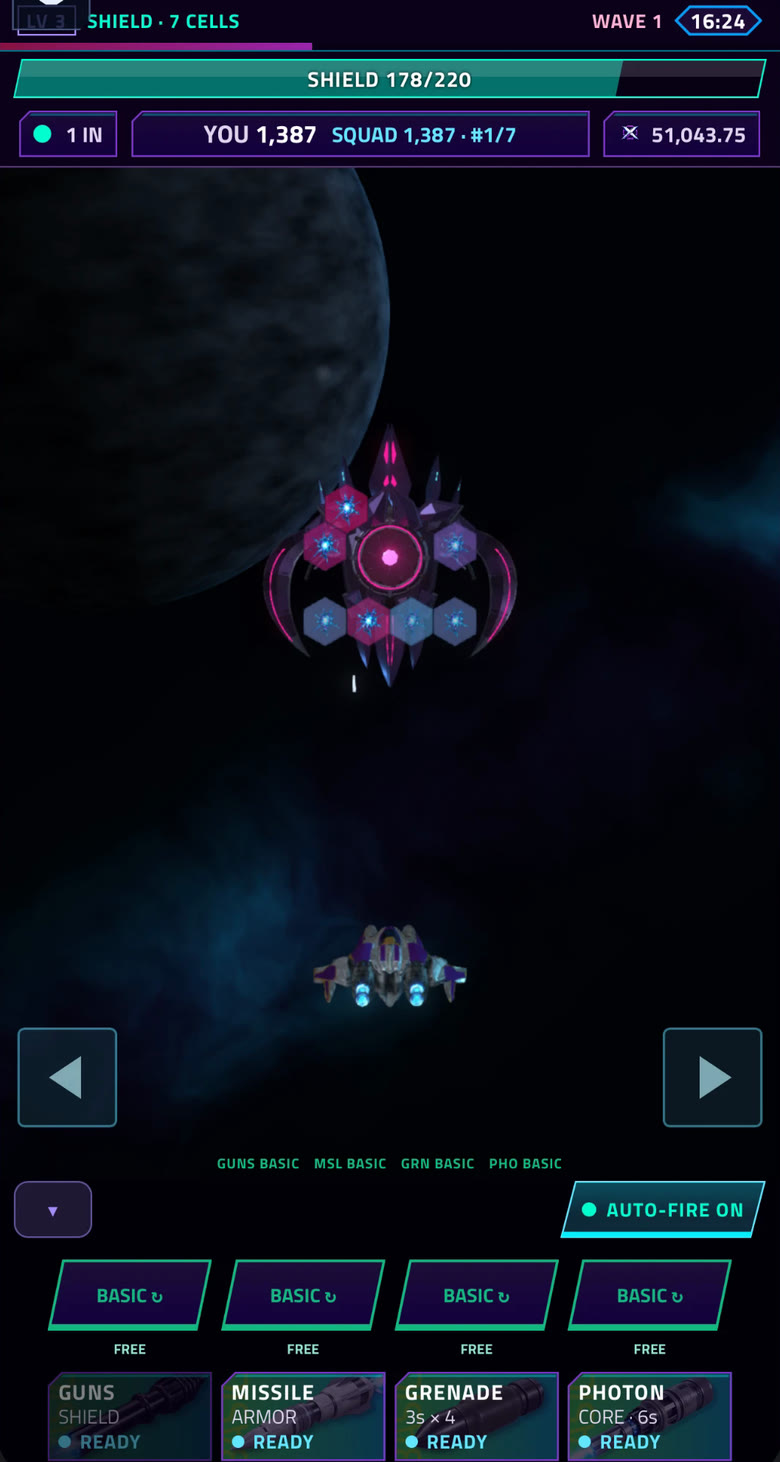
IN THE ARENA
Aim above. Steer below.
- Tap the boss to set your aim.
- Hold the ◀ and ▶ arrows to move sideways.
- Your aim and steering are independent.
Choose your target
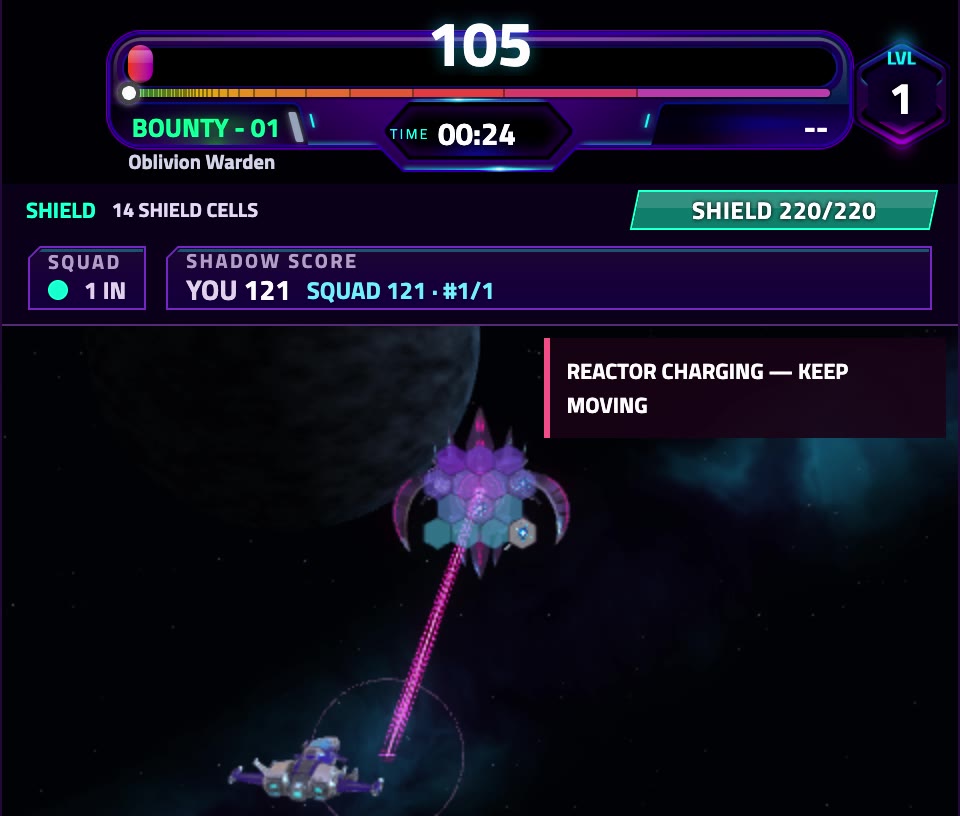
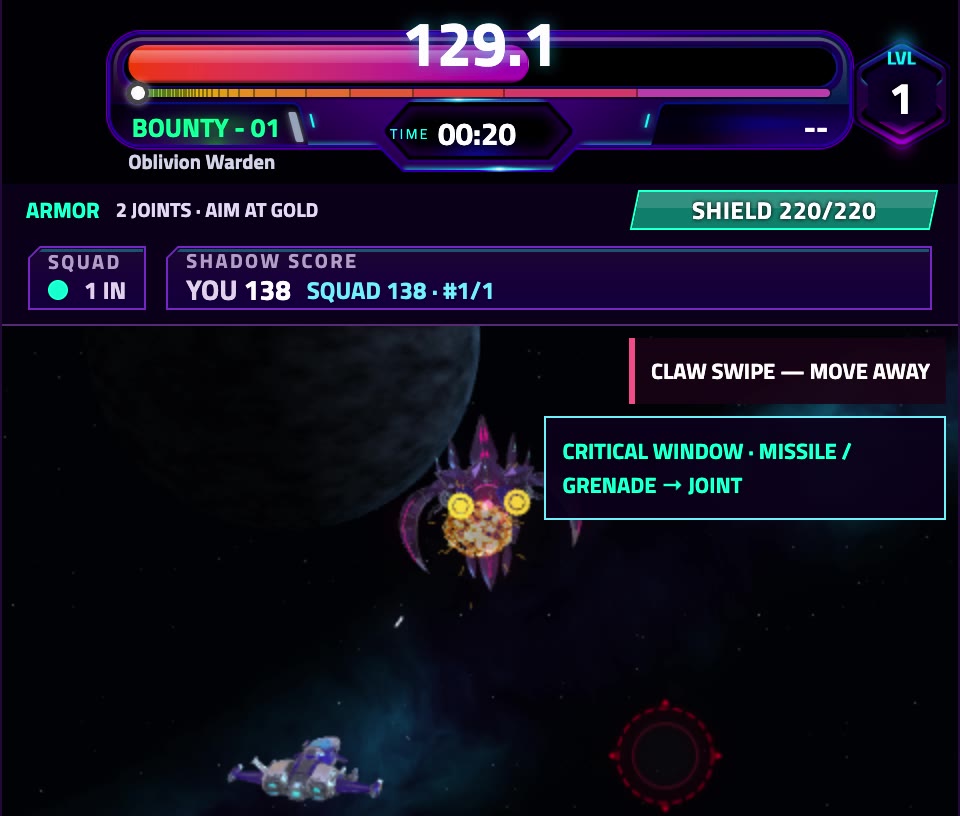
Look for an intact surface in the current phase. Start with shield cells. Once the shields break, aim at the load-bearing armor joints. When every joint breaks, the core becomes exposed.
If a target breaks while you are firing, move your aim to the next one. Shots into empty space or a protected surface waste an opening.
Keep the fight in view
The shared fight continues while you open a panel or disconnect. Keep the arena visible during an attack warning.
If input gets stuck, release your keys or fingers and refocus the game. For a recurring problem, see connection and input support.
Keep building your skills.
Learn the targets, get comfortable with your controls and make every opening count.
Explore the field manual